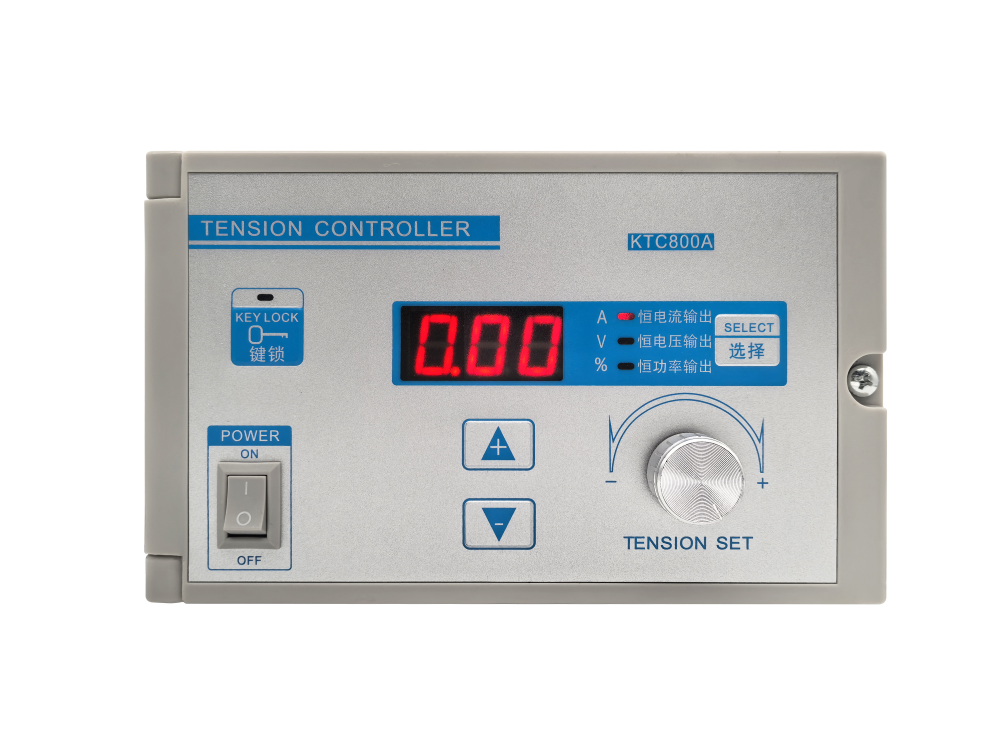
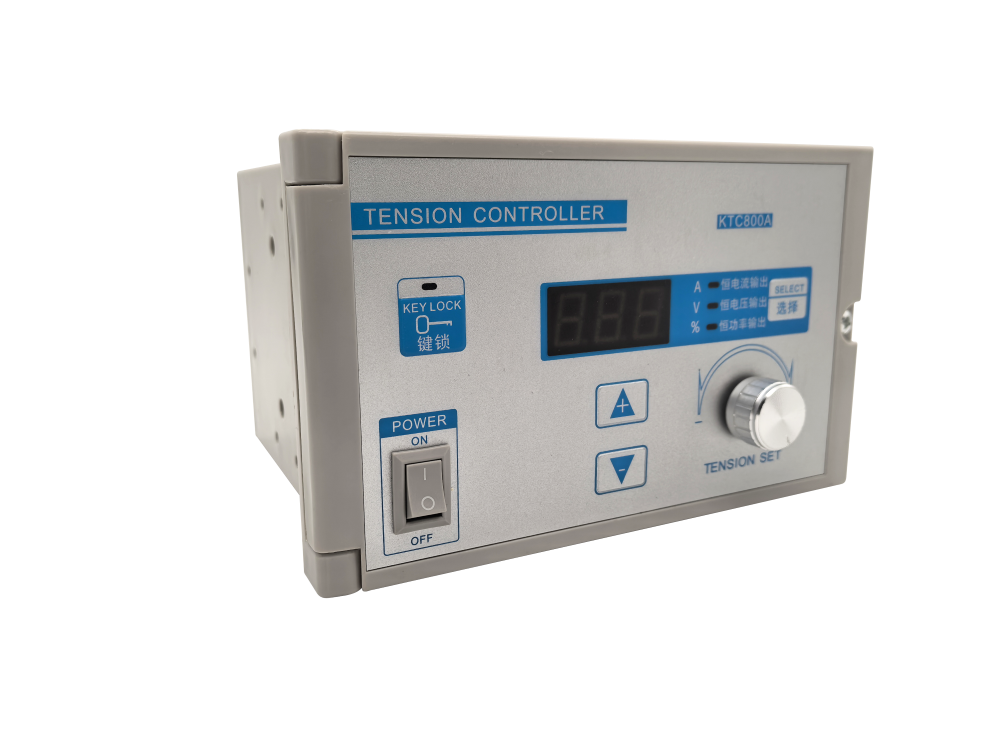
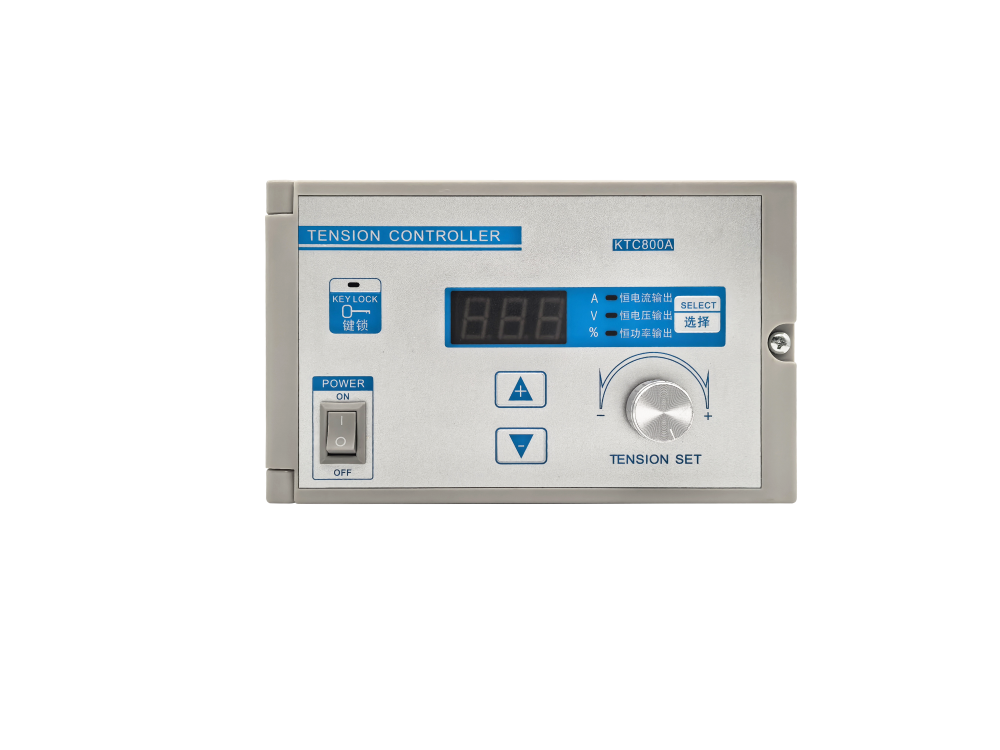
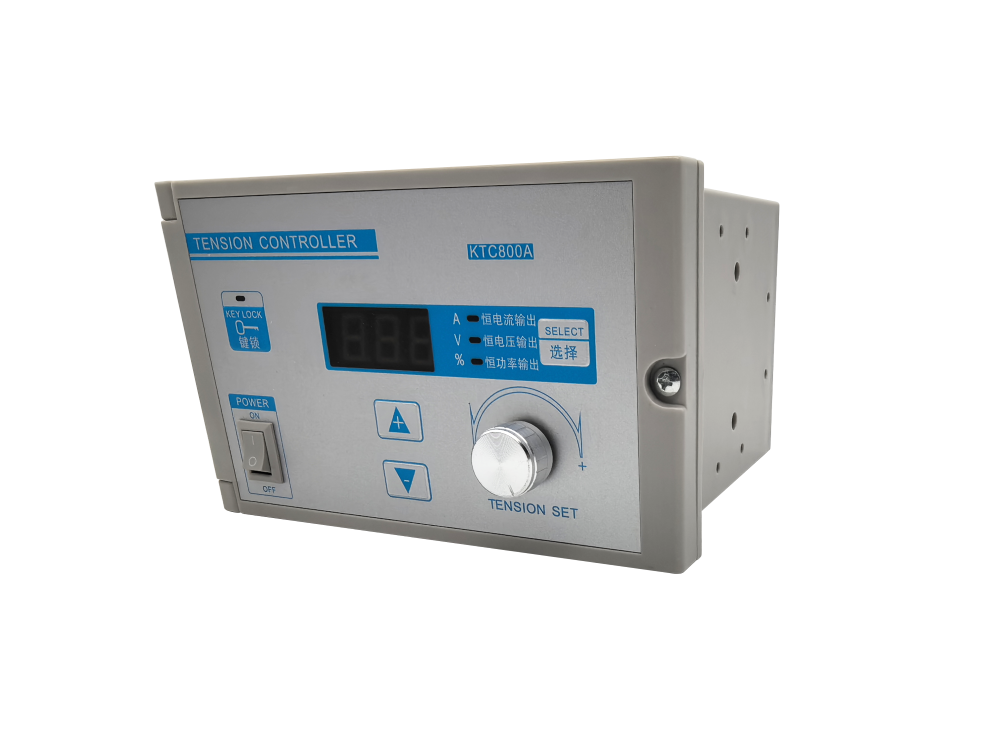
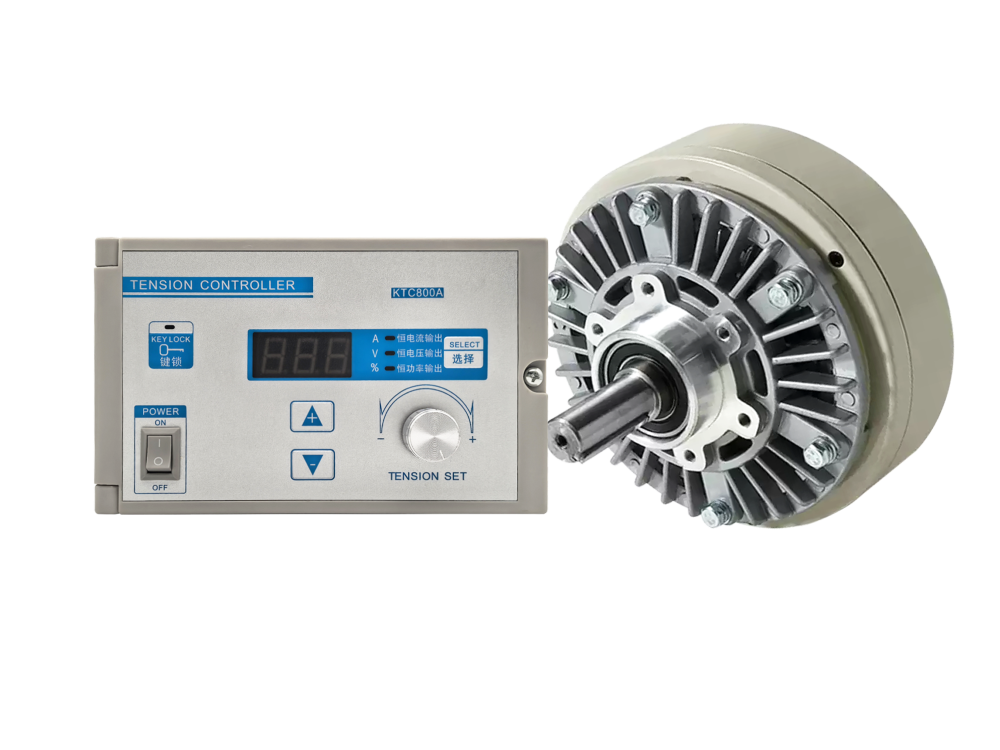
KTC800A Tension Controller

Wide-voltage digital tension control unit designed for stable, flexible, and efficient roll-to-roll web tension management.

إقتبس

إقتبس

إذا كانت لديك أي أسئلة حول مجموعة منتجاتنا أو خدماتنا، يرجى ملء نموذج الاتصال أدناه وسنتواصل معك على الفور
مشاركة
  • Estimated Delivery:Aug 03 - Aug 07

  • Free Shipping & Returns: On all orders over $75

Product description
Shipping & Return
Digital Tension Controller

KTC800A Tension Controller

Wide-voltage digital tension control unit designed for stable, flexible, and efficient roll-to-roll web tension management.

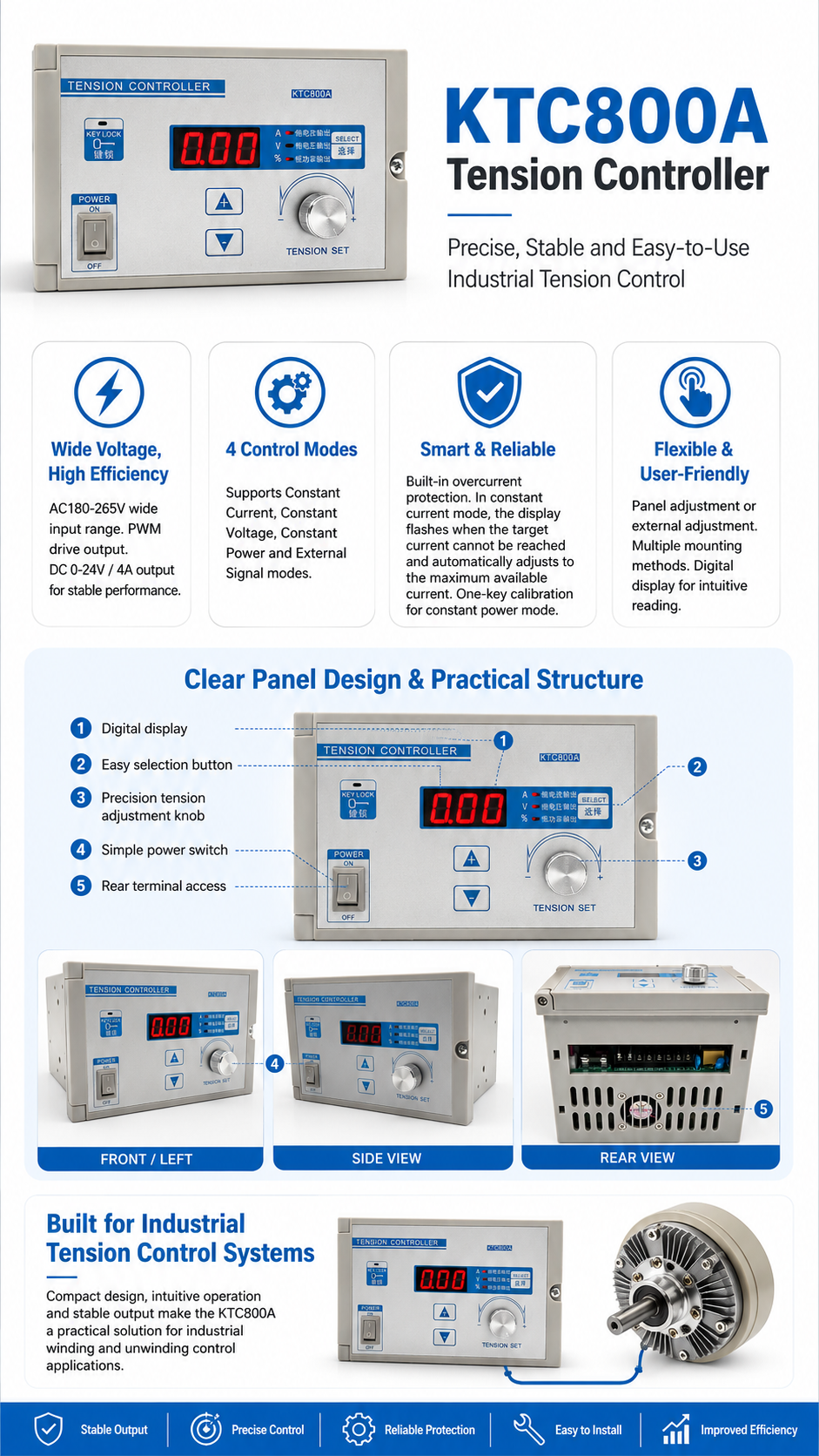
The KTC800A tension controller is designed for industrial web processing applications that require stable output, flexible control modes, and convenient operation. With AC180–265V wide-voltage input, PWM drive output, multiple working modes, and intuitive digital display, it helps maintain reliable tension control performance in continuous production environments.

01

Wide-Voltage Input

Supports AC180–265V wide-voltage power input, improving adaptability to different industrial power environments.

02

Efficient PWM Drive

Adopts pulse width modulation drive with DC0–24V / 4A output for stable and efficient control performance.

03

Four Control Modes

Supports constant current, constant voltage, constant power, and external signal control modes for flexible operation.

04

Digital Display

The digital panel provides clear working status and parameter display, making operation and adjustment more convenient.

Key Advantages

  • AC180–265V wide-voltage input for improved power adaptability.
  • DC0–24V / 4A output with pulse width modulation drive.
  • Constant current, constant voltage, constant power, and external signal modes.
  • Built-in over-current protection for safer long-term operation.
  • Constant power mode supports one-key calibration for easier setup.

Easy Operation

  • Supports panel adjustment and external adjustment according to installation needs.
  • Digital screen provides intuitive parameter and operation status display.
  • Multiple installation methods are available for different equipment layouts.
  • In constant current mode, the system provides flashing indication when the set current cannot be reached.
  • The controller automatically adjusts to the maximum achievable current for stable operation.
Technical Information
Product CategoryDigital Tension Controller / Web Tension Control System
Product NameKTC800A Tension Controller
Input VoltageAC180–265V
OutputDC0–24V / 4A
Drive MethodPulse Width Modulation Drive
Working ModesConstant Current / Constant Voltage / Constant Power / External Signal
Protection FunctionBuilt-in Over-Current Protection
Adjustment MethodPanel Adjustment or External Adjustment
DisplayDigital Screen Display
InstallationMultiple Installation Methods Available

Stable Tension Control for Continuous Web Processing

The KTC800A tension controller combines wide-voltage compatibility, multi-mode control, reliable protection, and convenient digital operation, making it suitable for industrial roll material processing systems that require consistent and adjustable tension output.
Product FAQ
KTC800A Tension Controller FAQ

This FAQ introduces the basic specifications, operation methods, installation requirements and common troubleshooting solutions for the KTC800A tension controller.

01
Basic Specifications
What is the input and output voltage / current range?
The input power supply is AC180-265V, and the output range is DC0-24V / 4A.
What control modes does the controller support?
It supports four control modes: constant current output, constant voltage output, constant power output, and external potentiometer / external voltage control.
What external control signal specifications are supported?
The controller supports 0-10V external voltage input, corresponding to an output range of 0-24V.
What is the adjustment accuracy?
In constant current mode, the adjustment step is 0.01A. In constant voltage mode, the adjustment step is 0.1V. In constant power mode, the adjustment step is 1%.
02
Operation & Usage
How do I switch the working mode?
Press and hold the “SELECT” button for 3 seconds to cycle through the four working modes. The corresponding indicator light will remain on. In external control mode, the constant current indicator light will flash.
Why does the digital display flash in constant current mode?
It means that the actual current flowing through the load has not reached the set value. After flashing three times, the controller will automatically adjust to the maximum current that the load can withstand.
How should constant power mode be used?
Calibration is required before first use. Disconnect the power, press and hold the SELECT button, then reconnect the power. The controller will automatically detect the maximum load power. After calibration is completed, the output power can be adjusted from 0% to 100%.
Why do the panel buttons not work in external control mode?
In external potentiometer or external voltage mode, the panel up / down buttons and the adjustment knob are disabled. The output is fully controlled by the external signal, and the digital display shows the actual current value in real time.
What is the purpose of the key lock function?
The key lock function is used to lock panel operation and prevent accidental parameter changes caused by misoperation.
03
Installation & Wiring
What installation methods are supported?
The controller supports three installation methods: wall-mounted installation, floor-standing installation and embedded panel installation.
What is the cut-out size for panel installation?
The cut-out size for embedded panel installation is 163 × 103mm.
How should the external potentiometer be wired?
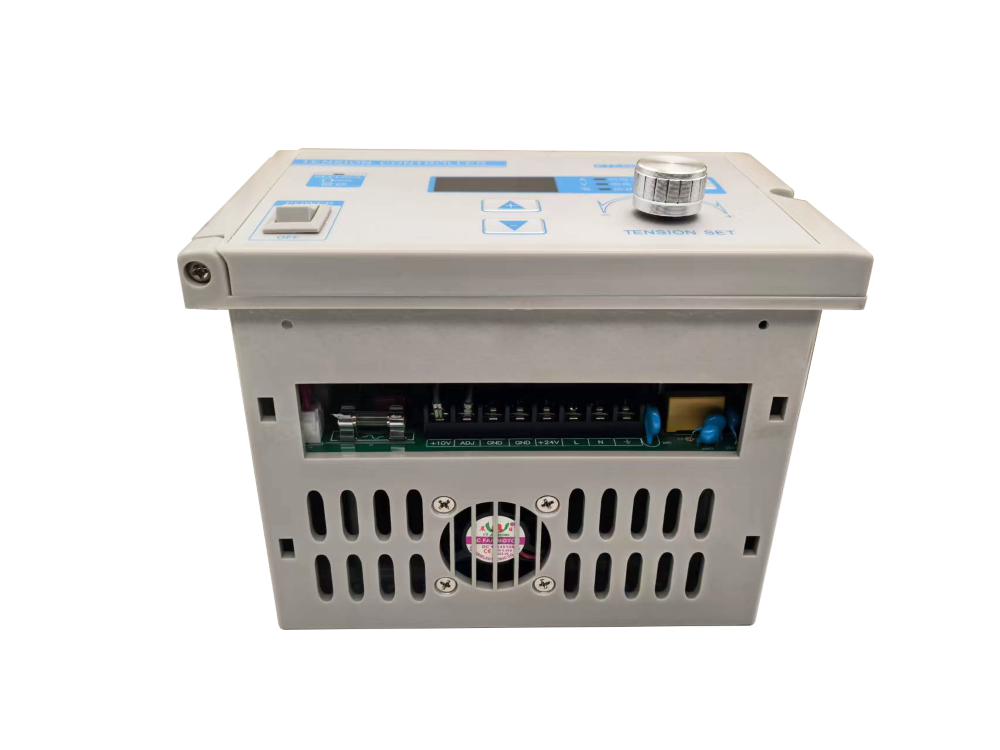
Connect the two ends of the potentiometer to +10V and GND respectively, and connect the middle wiper terminal to ADJ. The controller common terminal should be grounded.
How should the external 0-10V signal be wired?
Connect the positive signal wire to the ADJ terminal and the negative signal wire to the GND terminal.
04
Common Issues & Troubleshooting
What should I do if the output current or voltage cannot reach the set value?
Please check the following items:
  • Check whether the rated load parameters are lower than the set value. In constant current mode, the controller will automatically adapt to the load.
  • Confirm that the wiring is secure and the input power supply is normal.
  • Check whether external control mode has been enabled.
What should I do if constant power mode cannot be used?
This is usually because load calibration has not been performed. Repeat the constant power calibration procedure. If a clutch or brake of a different model is replaced, calibration must be performed again.
What should I do if external control does not respond?
Please check the following items:
  • Confirm that the controller has been switched to external control mode. In this mode, the constant current indicator light flashes.
  • Check whether the external signal wiring is correct.
  • Measure whether the external input voltage is within the 0-10V range.
Shipping cost is based on weight. Just add products to your cart and use the Shipping Calculator to see the shipping price.We want you to be 100% satisfied with your purchase. Items can be returned or exchanged within 30 days of delivery.

You Might Also Like

PAU-4B-V Split-Type Tension Controller
Precise, stable and easy-to-integrate tension control for magnetic powder clutches and brakes.

KDT-B Automatic Constant Tension Controller

High-Precision Constant Tension and Taper Control Solution for Winding and Unwinding Lines

Automatic Digital Tension Controller with A/B Shaft Switching

High-Precision Closed-Loop Tension Control Solution for Unwinding and Rewinding Lines

SJ-828 Automatic Tension Controller

Stable Tension Control Solution for High-Speed Roll-to-Roll Web Processing