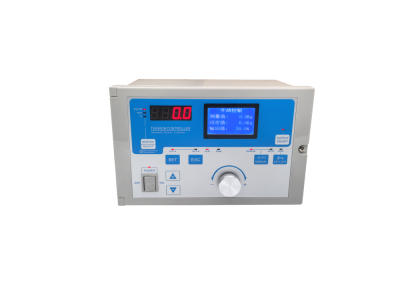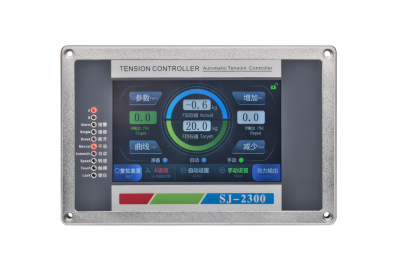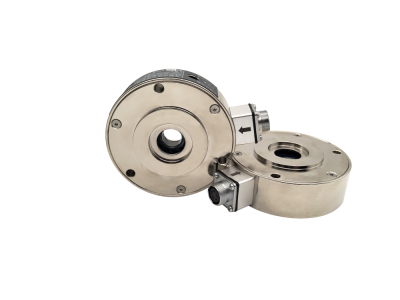
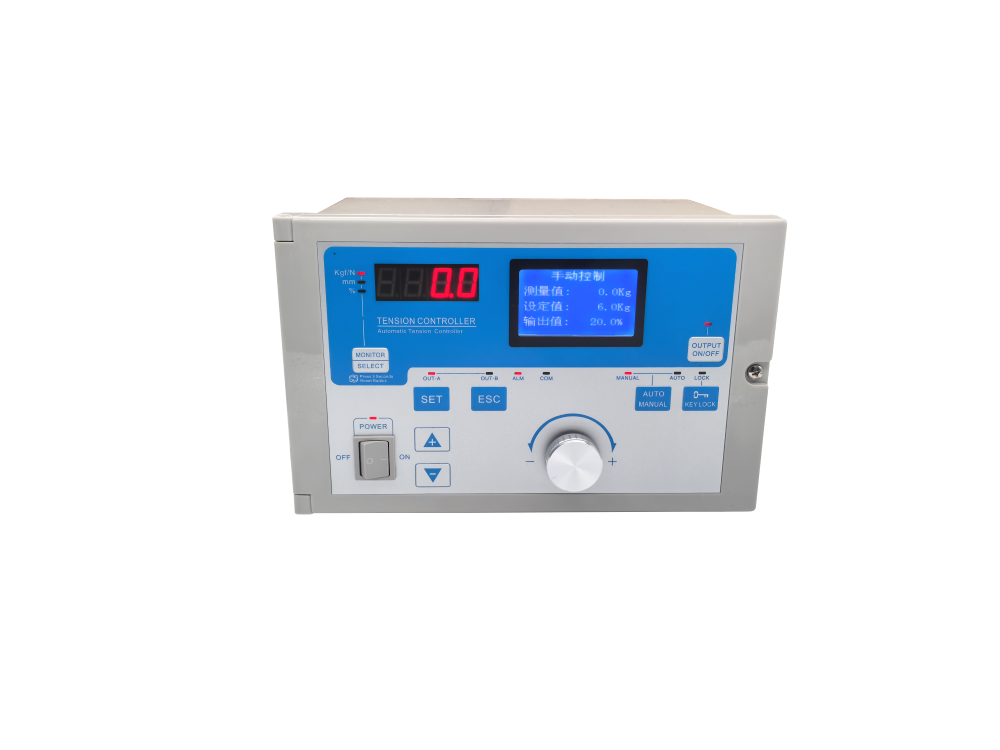
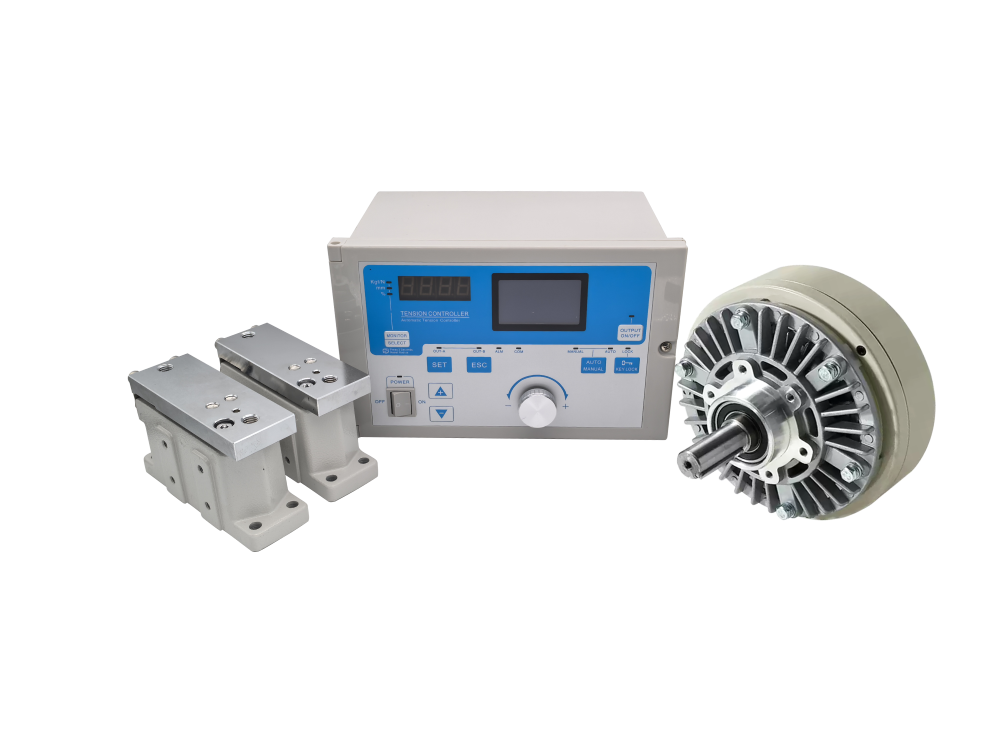
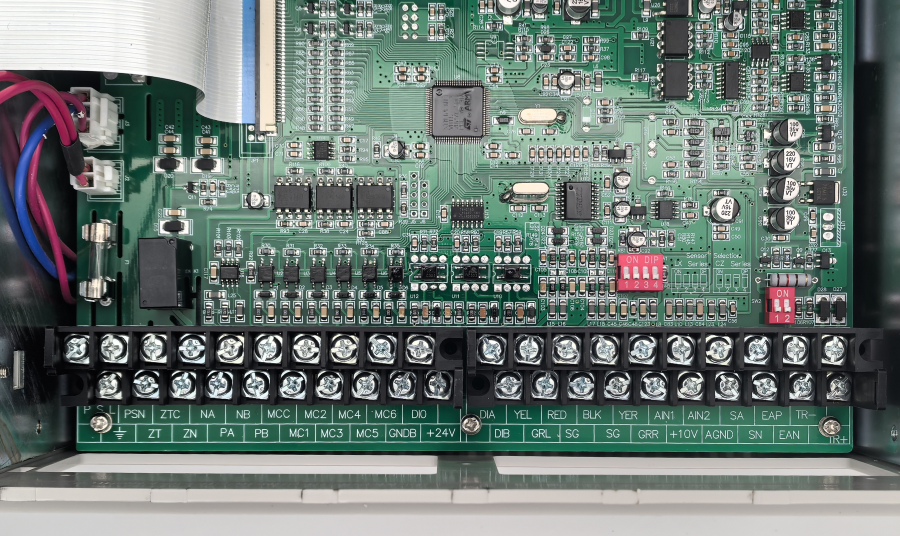
SJ-828 Automatic Tension Controller

Stable Tension Control Solution for High-Speed Roll-to-Roll Web Processing

nhận báo giá

nhận báo giá

Nếu bạn có bất kỳ câu hỏi nào về phạm vi sản phẩm hoặc dịch vụ của chúng tôi, vui lòng điền vào mẫu liên hệ bên dưới và chúng tôi sẽ liên hệ ngay
Chia sẻ
  • Estimated Delivery:Aug 03 - Aug 07

  • Free Shipping & Returns: On all orders over $75

Product description
Shipping & Return
Automatic Tension Controller

SJ-828 Automatic Tension Controller

Stable tension control solution for high-speed roll-to-roll web processing, rewinding, printing, coating and converting lines.

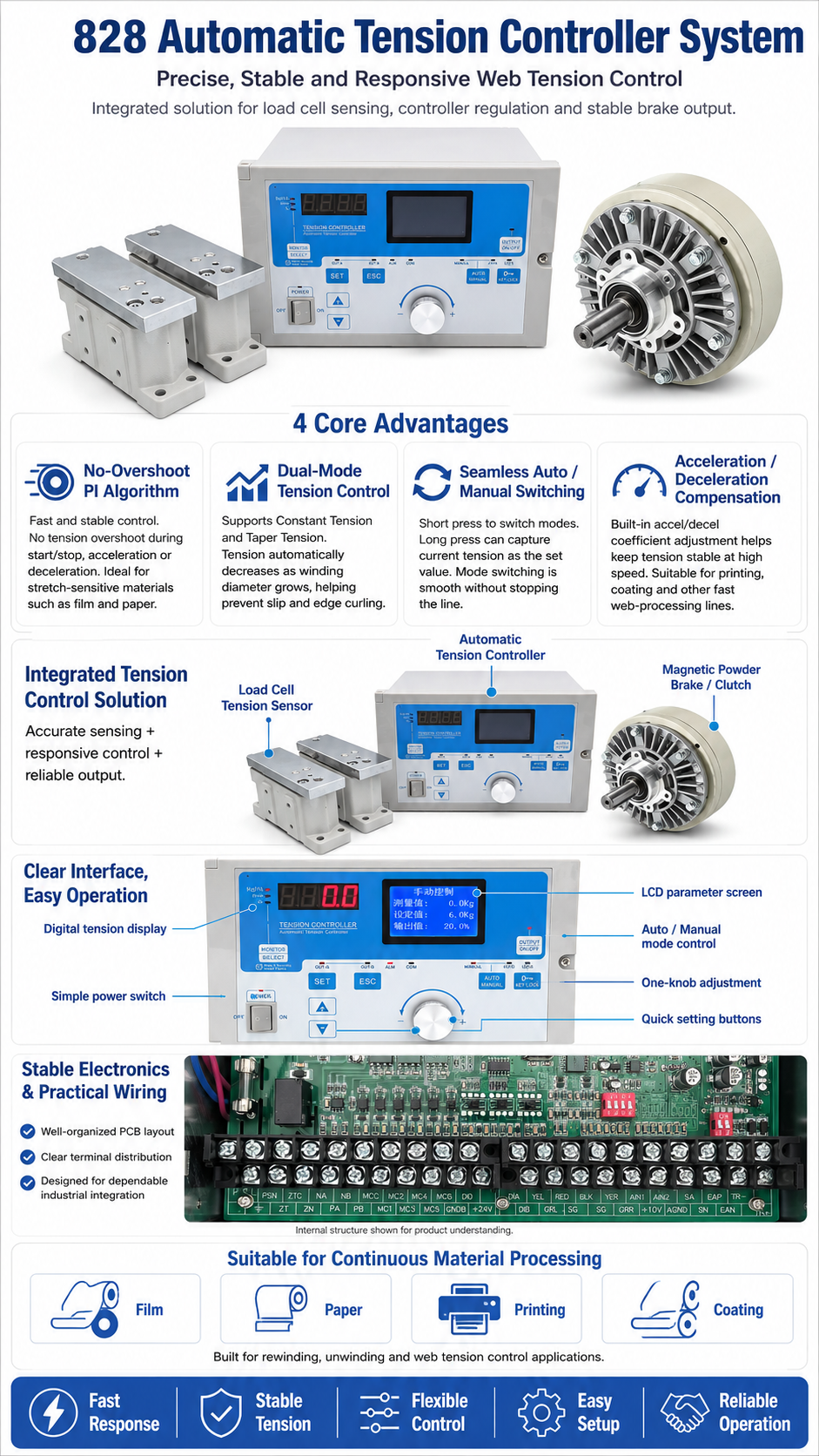
The SJ-828 automatic tension controller is designed for continuous web material production lines that require smooth, stable, and accurate tension control. With a no-overshoot PI algorithm, constant tension and taper tension modes, seamless auto/manual switching, and acceleration/deceleration compensation, it helps reduce tension fluctuation, prevent web stretching, and improve winding quality during high-speed production.

01

No-Overshoot PI Algorithm

The optimized PI control algorithm provides fast and smooth control response, helping avoid tension overshoot during start, stop, acceleration, and deceleration.

02

Dual Tension Modes

Supports both constant tension and taper tension control. Tension can be reduced automatically as winding diameter increases.

03

Seamless Auto / Manual Switch

Short press to switch working mode, and long press to capture current tension as the set value, enabling mode switching without machine stop or tension shock.

04

Acceleration Compensation

Built-in acceleration and deceleration coefficient adjustment keeps tension stable during high-speed running and speed changes.

Key Advantages

  • Fast and smooth tension control without obvious overshoot.
  • Suitable for easily stretched materials such as film and paper.
  • Constant tension mode for stable web processing.
  • Taper tension mode for improved winding quality.
  • Automatic tension reduction helps prevent slipping, curling and poor roll formation.

Application Fields

  • High-speed printing production lines.
  • Coating and laminating equipment.
  • Film and paper roll-to-roll processing.
  • Rewinding and winding tension control.
  • Flexible material converting and continuous web processing systems.

How It Improves Web Tension Control

1

Detect Tension Change

The system monitors the tension condition during start, stop, acceleration, deceleration and continuous running.

2

Calculate Smooth Output

The controller uses PI algorithm logic and compensation settings to calculate stable control output.

3

Maintain Stable Web

Stable tension output helps reduce web stretching, roll slipping, curling, and tension fluctuation.

Product Information
Product CategoryAutomatic Tension Controller / Web Tension Control System
Product NameSJ-828 Automatic Tension Controller
Control AlgorithmNo-Overshoot PI Algorithm
Tension ModesConstant Tension / Taper Tension
Operation ModeAuto / Manual Seamless Switching
Compensation FunctionAcceleration and Deceleration Coefficient Adjustment
Suitable MaterialsFilm, Paper and Other Easily Stretched Web Materials
ApplicationHigh-Speed Printing, Coating, Winding, Rewinding and Roll-to-Roll Processing Lines

Stable Tension for High-Speed Web Production

The SJ-828 automatic tension controller combines smooth PI control, dual tension modes, seamless operation switching, and speed-change compensation to help manufacturers achieve stable tension, better winding quality, and
Product FAQ
828 Tension Controller FAQ

This FAQ covers common power-on issues, display alarms, tension measurement problems, output control, start-stop synchronization, operation settings and A/B shaft switching for the 828 tension controller.

01
Power-On & Display Issues
What should I do if the controller has no response after power-on?
Check whether the 220VAC power supply is connected correctly. Replace the 4A fuse if necessary, and retighten the power terminals.
What does the “A/D Fault” message mean?
This indicates a hardware fault. The controller needs to be returned to the factory for inspection and repair.
What should I do if the display shows “Signal Error”?
Set the correct signal range in parameter [25], check the sensor wiring, and replace the faulty sensor if required.
What should I do if the display shows “Over Range”?
Perform zero-tension calibration and full-scale calibration again. Check whether the sensor selection in parameter [23] is correct, and confirm that the wiring is properly connected.
02
Tension Measurement Issues
Why does the tension display fluctuate or become unstable?
Correct the detection roller and replace the bearings if needed. Recalibrate the tension, and keep weak-current signal wires away from strong-current cables with proper shielding.
Why is the system stable in manual mode but unstable in automatic mode?
Increase the PID proportional value and increase the integral time. Also check the actuator and confirm that the sensor range matches the actual tension requirement.
What should I check if there is no tension display or the value stays at 0?
Confirm whether the output indicator light is on, and check whether the wiring is correct.
03
Output & Control Issues
What should I do if there is no output or the output remains at 0.0%?
Press the output button and make sure the OUTPUT indicator light is on. Power off the controller for 30 seconds and restart it to release short-circuit protection. Also check the PA / NA and PB / NB wiring.
Why can’t the controller switch to automatic mode?
Connect MCC and MC1. The automatic mode can only be enabled when the related start-stop terminals are properly connected.
What does it mean when the automatic indicator flashes quickly?
It means MCC and MC1 are not connected. Short-connect the start-stop switch to enable operation.
What does it mean when the automatic indicator flashes slowly?
Synchronous start-stop is enabled, but the input frequency is lower than the set value in parameter [19]. In this case, the system stays in stop status and does not perform adjustment.
Is this controller suitable for magnetic powder brakes?
Yes. It is designed to directly drive magnetic powder clutches or magnetic powder brakes without an external power module.
Dual 24V / 4A Output
04
Start-Stop & Synchronization
What should I do if MC1 is connected but the controller still does not run?
Set the correct synchronous start-stop frequency and check the feedback mode in parameter [28].
Why does the tension fluctuate greatly after the machine stops and restarts?
When stopping the machine, disconnect the start / stop switch MC1. Short-connect MC4 and correctly set the standby output in parameter [08].
05
Key & Operation Issues
Why do the knob or buttons not respond?
The keys may be locked. Press the lock button to unlock the panel. The Lock indicator should turn off after unlocking.
Why can’t the parameters be saved?
After changing the parameters, press the Set button to confirm and save the settings.
06
A/B Shaft Switching
What should I do if A/B shaft switching is abnormal?
Check the wiring between MC2 and MCC. Correctly set the shaft switching output in parameter [12] and the shaft switching time in parameter [13].
Shipping cost is based on weight. Just add products to your cart and use the Shipping Calculator to see the shipping price.We want you to be 100% satisfied with your purchase. Items can be returned or exchanged within 30 days of delivery.

You Might Also Like

PAU-4B-V Split-Type Tension Controller

Precise, stable and easy-to-integrate tension control for magnetic powder clutches and brakes.

KDT-B Automatic Constant Tension Controller

High-Precision Constant Tension and Taper Control Solution for Winding and Unwinding Lines

Automatic Digital Tension Controller with A/B Shaft Switching
High-Precision Closed-Loop Tension Control Solution for Unwinding and Rewinding Lines

SJ-828 Automatic Tension Controller

Stable Tension Control Solution for High-Speed Roll-to-Roll Web Processing